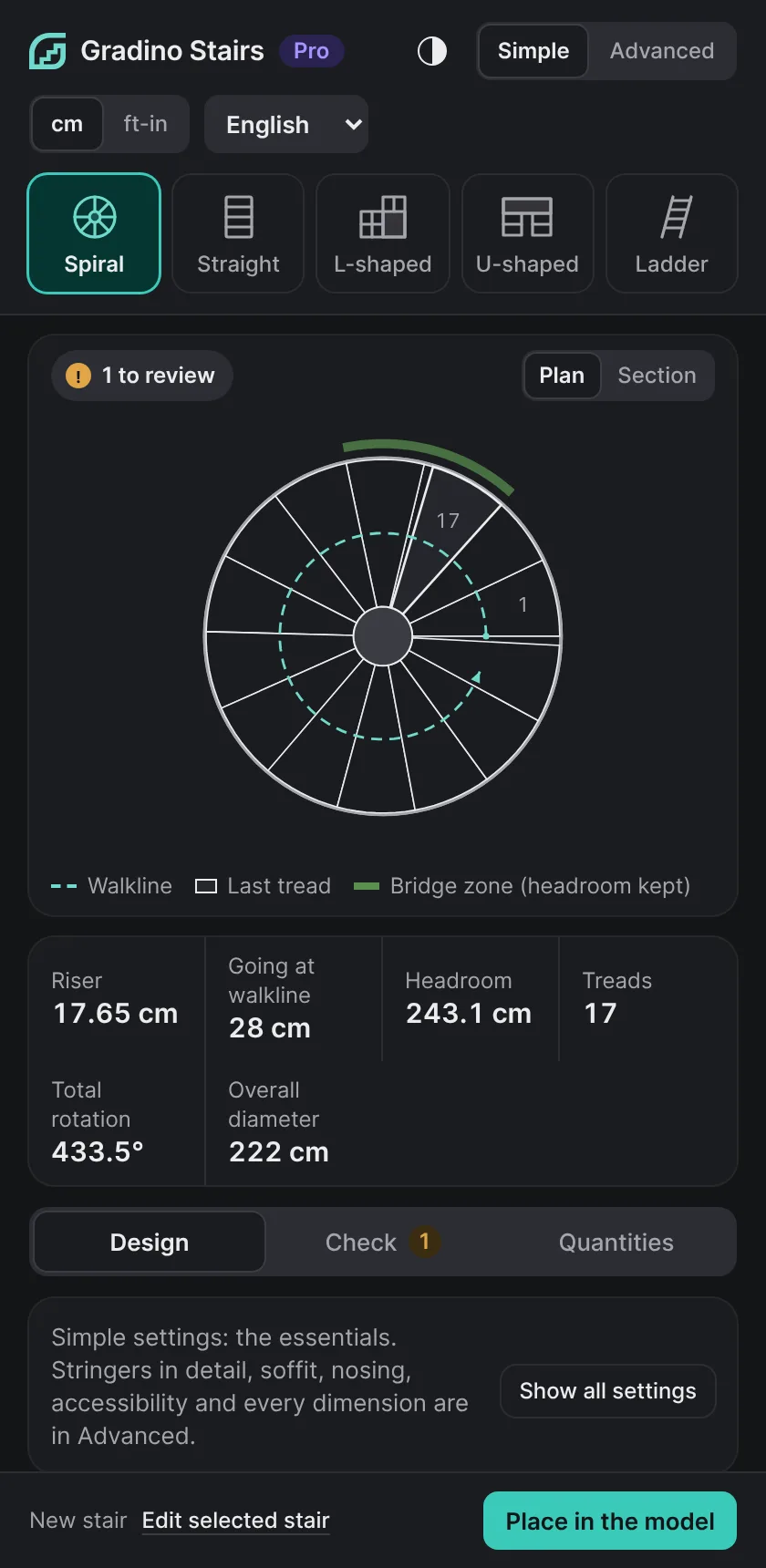
1. Design
Pick a type, the height to climb and the footprint. Gradino proposes the number of treads and the going; you adjust stringers, nosings, risers and guards.
Stairs under control from start to finish, in SketchUp.
The SketchUp extension that simplifies stair design for architects: adjust your parameters, watch the 3D update instantly and spot gaps against code thresholds at a glance. The complex work is automated; you keep full control of your drawing.
00 — Three steps
Pick a type, the height to climb and the footprint. Gradino proposes the number of treads and the going; you adjust stringers, nosings, risers and guards.
Riser, going, step formula, headroom, width, guards: each value is compared with the threshold of the chosen reference, within or outside it.
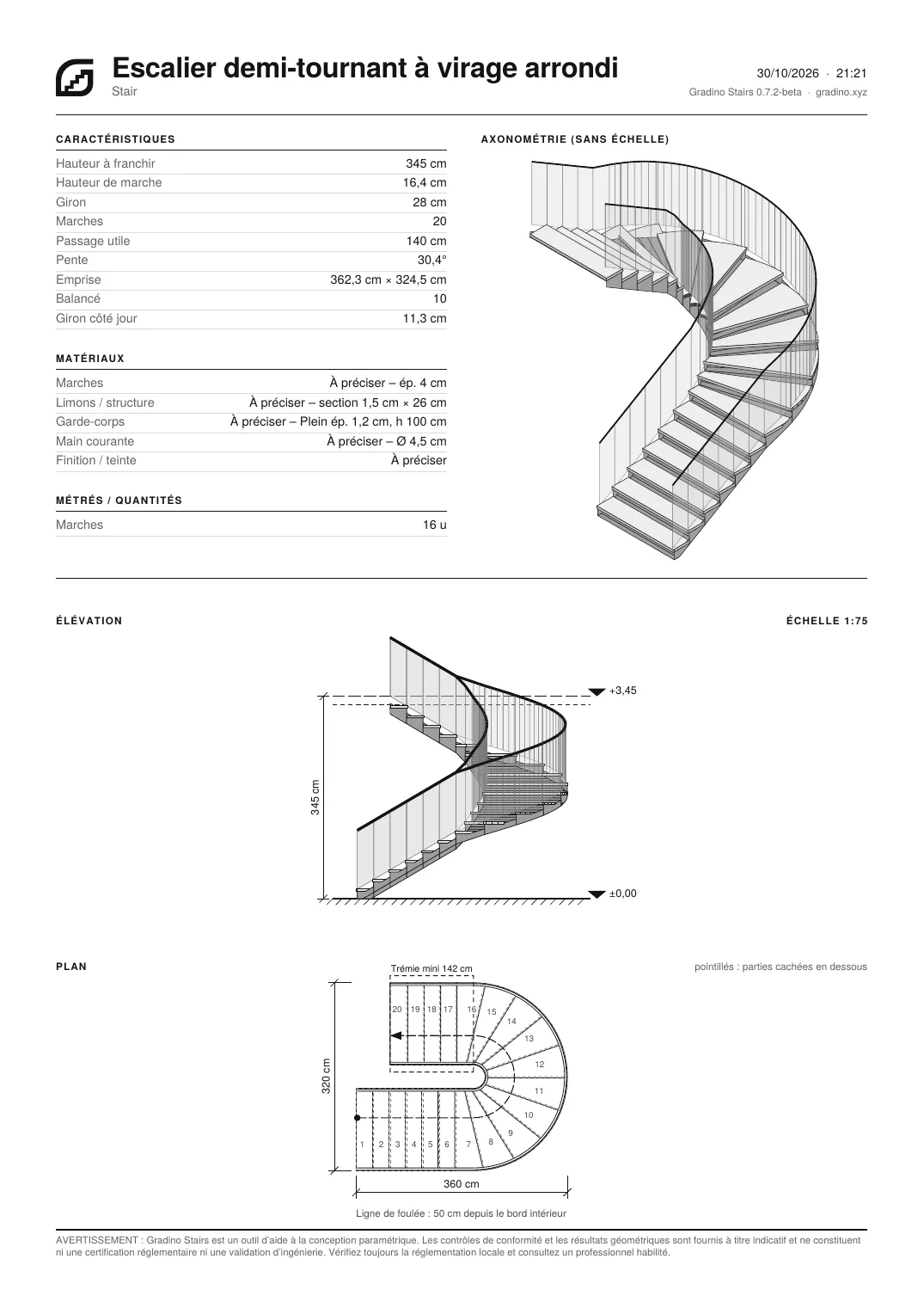
An A4 fabrication sheet with plan, elevation, axonometric view and dimensions, plus a clean layered DXF for the joiner, the steel fabricator or the mason.
01 — Stair types
Each type keeps its own settings. Simple mode shows the essentials; advanced mode opens everything else.
One flight, with or without a landing.
Two flights at right angles, landing or winders.
Two flights in a U, landing or turn.
Winders balanced along the walkline.
Continuous turn, stringer following the curve.
Central post or open well, round or square outline.
Steep pitch for mezzanines and lofts.
02 — Pre-check Pro
Gradino reads the thresholds of a reference and compares your values continuously. You see at once what falls outside a threshold, and by how much.
Gradino pre-checks: it does not replace reading the code itself, a building inspector's review, or your responsibility as designer.
| France | Housing · new public buildings (ERP) · existing ERP |
|---|---|
| United States | IRC (residential) · IBC (other buildings) |
| Spain | CTE DB-SUA · general and restricted use |
| Germany | DIN 18065 · housing and other buildings |
| Italy | DM 236/89 · public and private |
| Custom | Your own thresholds, no reference |
03 — Pricing
€0forever
€49excl. VAT instead of €79 · launch price · one-time purchase, 1 year of updates
Pro for freewhile you study
Architecture, engineering and building schools. One-year Pro licence, renewable, with your school email.
Launch price until 31 March 2027, then €79 excl. VAT. Updates afterwards: €29/year, optional. Agency pack, 5 seats: €299. 14-day money-back guarantee.
04 — Made by an architect, for architects
“In practice, losing half a day drawing and redrawing a stair in SketchUp – only to find that one parameter clashes with the existing building or the code – is deeply frustrating. Gradino was born from that. It automates the tedious modelling and gives you instant visual feedback on code blockers. You save precious time without ever losing control of your drawing.”
Romain G. — architect
05 — Questions
SketchUp 2021 or later, on Windows or macOS. The free web version of SketchUp does not accept extensions.
No. Gradino pre-checks key values against the thresholds of a reference. Code compliance of a project is the designer's responsibility and, where applicable, the inspector's.
The extension is being finalised. Sign up on the “Get notified at launch” page to receive an email when the beta opens.
The file is written as AutoCAD 2000, readable by AutoCAD, ArchiCAD, Revit, Vectorworks, LibreCAD and most cutting software.
Use the “Report” link at the bottom of the panel, or the form at the bottom of this page. Critical feedback is the most useful.